Live TV for the United States
Apollo Group TV in the US: Drop the Cable Box, Keep the Game
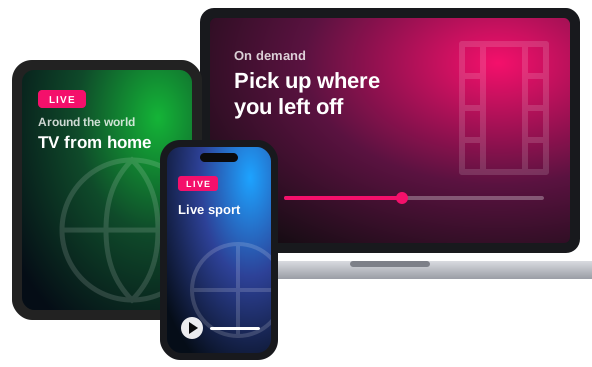
Apollo Group TV brings 21,000+ live channels and 33,000+ films and episodes to American homes over an ordinary internet connection. There's no dish to mount and no cable box to rent, and you aren't tied into a yearly contract. It plays on a TV, streaming stick or phone you probably already have, with up to 5 screens on one plan.
- Live channels
- Films and episodes on demand
- Screens at the same time
- A month on the yearly plan
What a plan looks like in an American home
It replaces the coax line with your Wi-Fi. After you install a free player app on the TV or Firestick and enter the three login details we send, the channel guide loads with sport, news, network entertainment, kids' channels and channels from other countries. There's also a library of films and series that plays without commercials.
Apollo Group Television, which runs this site, sells those plans to customers in all 50 states and helps with setup. For a general introduction see the main overview; the rest of this page deals with what's specific to the US.
What's on for American viewers
Channels are sorted into categories, which makes tonight's game or the evening news a few clicks away on the remote. You can search the full Apollo Group TV channel list by country and genre before ordering.
Live sport on every plan
Basketball, baseball, hockey, fight nights and motor racing are all live and come with every plan, so you won't be asked to buy a sports package. The sports guide lists what's in the line-up.
Network TV and cable favorites
Drama, reality shows, sitcoms and late-night talk from the major US entertainment channels, in the same guide as everything else.
News around the clock
Rolling coverage from American and international news channels, there whenever a story breaks.
Films without ad breaks
The on-demand library holds 33,000+ movies and episodes, and you can stop one and pick it up later.
Spanish and world TV
Latin American channels sit next to the US networks, and there are Canadian, British, German, Nordic, Arabic and Israeli channels too.
Cartoons in their own lane
Children's channels are kept in a category of their own, well away from the news and late-night shows.
United States
What US customers want to know first
These are the questions that come up most often before someone in the States places an order.
Pay with Cash App
Cash App tends to be the easiest choice in the US, because so many people already have it on their phone. If you'd rather not use it, Bitcoin works as well.
Works in any state
Whether it's a walk-up in Brooklyn or a campground in Montana, all you need is a steady internet connection. Nobody comes to install anything, and there's no hardware to send back if you stop.
Priced in US dollars
Each plan is priced in USD and paid in one go for the length you choose. You won't sign an annual contract or pay a fee for stopping early.
Bilingual households covered
Telenovelas, fútbol and Spanish-language news from Latin American channels are in the same guide as the English ones, which saves paying for a second service.
A screen for each person
You can order up to 5 connections, and every one you add lowers the price of all of them, by up to 30% each. If you're unsure how many to get, read how many devices you need.
From order to first channel, in the US
Choose length and screens
Pick 30, 90, 180 or 365 days and between 1 and 5 screens; the price updates as you change them.
Send payment
We reply on WhatsApp with the Cash App or Bitcoin details, and you pay in dollars.
Install and watch
Your login comes through in the same chat. Follow the step-by-step install guides for your device, and if the app rejects the details, try sign-in help.
Apollo Group TV prices for US customers
Prices are in US dollars. Set the number of screens first, since each one you add makes all of them cheaper.
Between 1 and 5 screens streaming at the same time
21,000+ live channels in HD
TV from 40+ countries: American, Canadian, British, Latin American, German, Nordic, Arabic and Israeli channels among them
Sport, news, kids' and entertainment channels on every plan
33,000+ films and episodes on demand, with no ads
More screens, lower price per screen
Starter
$24.99
30 Days
A month with the full line-up. It's the cheapest way to find out how well the service runs on your own TV and internet.
Growth
$51.99
Order on WhatsAppSave 29%90 Days
Three months for not much more than the price of two. Long enough to cover most of a sports season in one go.
Elite
$89.99
Order on WhatsAppSave 39%180 Days
Six months at a much lower monthly cost than Starter. A good middle ground if you'd rather not commit to a full year, and you only renew twice a year.
Professional
$159.99
Paid annually
Order on WhatsAppSave 49% per month365 Days
A full year in one payment, and the lowest monthly cost we offer. You won't need to think about renewing until next year.

Bitcoin

Shakepay
Questions and answers
Questions from US customers
How much does it cost in the US?
Plans start at $24.99 for 30 days on a single screen. The 365-day plan costs $159.99, or about $13.33 a month. More screens lower the price per screen, which you can see in the US price table or the full pricing breakdown.
Can I pay with Cash App?
You can. Customers in the US pay with either Cash App or Bitcoin.
Does it work in every state?
It works in all 50 states and Washington, D.C. What matters is having a supported device and a stable connection, not where you live.
What devices can I use?
Most screens that connect to the internet will work, including a Firestick, a smart TV, an Android phone or tablet, and a laptop. See which app goes on which device for the options.
Can two TVs play different channels?
They can, as long as you order at least two connections (the maximum is 5). Each connection covers one screen streaming at a time.
Do I need a VPN in the US?
Usually you won't need one. A VPN can help if your internet provider slows down streaming video, and the guide to VPNs explains when it's worth setting one up.
Did I buy from you or from another Apollo site?
Look at which chat your login came from. If it was our WhatsApp, we look after your account. Plans sold by other Apollo-named websites are handled by those sellers.
What if it won't run on my TV?
Send us a message, because most setup problems take a few minutes to fix. If we can't get it working, you can claim a refund within 7 days under the refund rules.
Watching from north of the border?
Paying with Shakepay, Canadian channels alongside the US networks, and what changes for viewers north of the border.